Interactive CME
Gamified learning moments inside a CME course on liver and GI care: tap, choose, sort and sequence, so clinicians learn by doing instead of reading.
Watch the walkthrough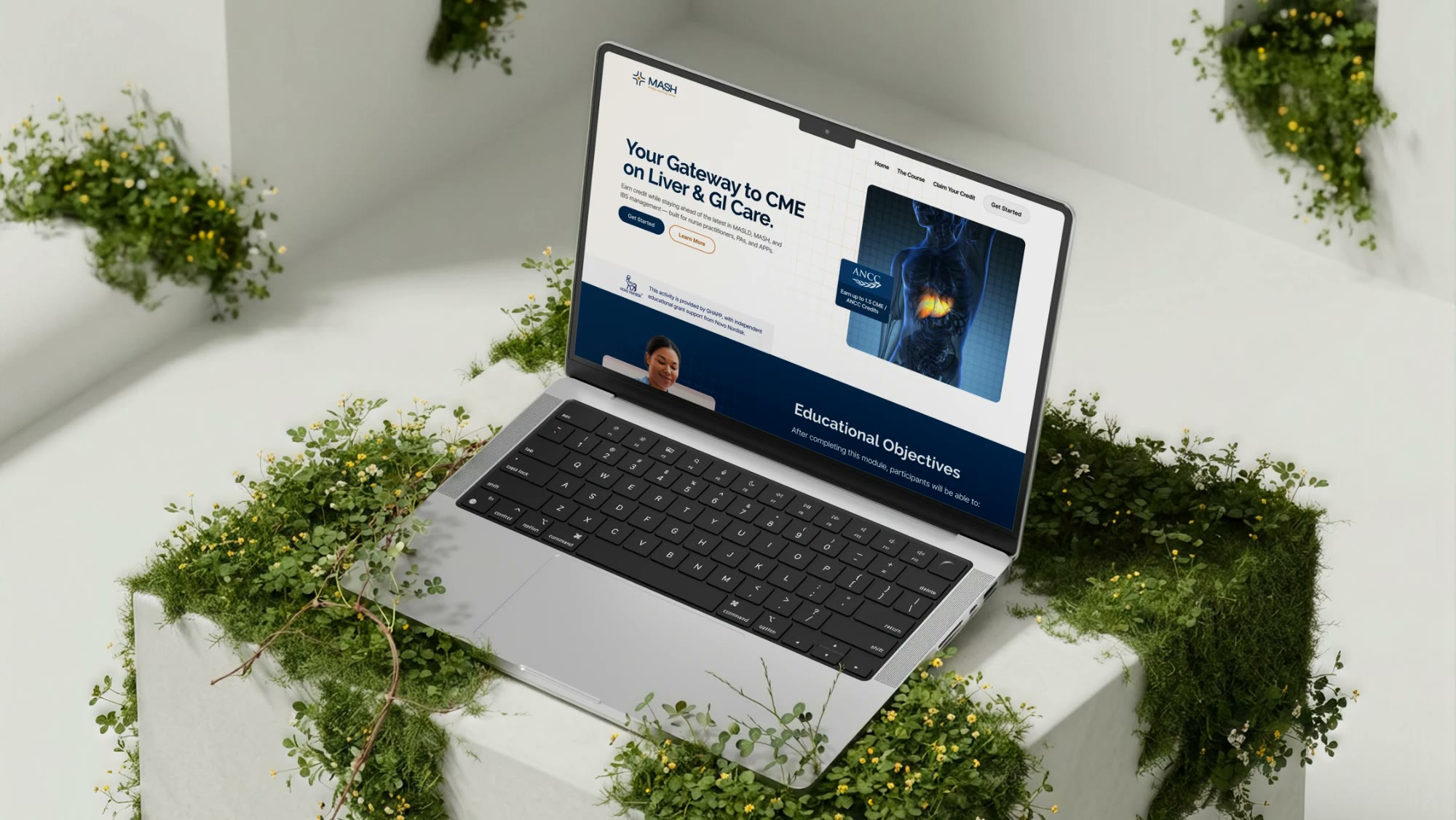
The product
A continuing medical education course where key slides become short, hands-on interactions—five patterns that keep learners active and are easy to repeat across the whole program.
The challenge
CME often relies on slides that learners simply read through:
- Dense information arrives all at once
- Reading a list does little to build visual recognition
- Clinical reasoning is described rather than practiced
- Step-by-step workflows are hard to retain from a static page
Any solution would need to fit inside the existing course, and be easy to replicate on other slides.
Our approach
FSE Media treated the course as a series of moments where the learner does something, not just reads something.
Reveal, don’t overload
Information is uncovered one step at a time, so each idea is easier to process.
Practice the decision
Scenarios and image choices put learners in the clinician’s seat.
Build once, repeat everywhere
Each interaction is a reusable pattern for other slides in the program.
How it works
Tap to reveal
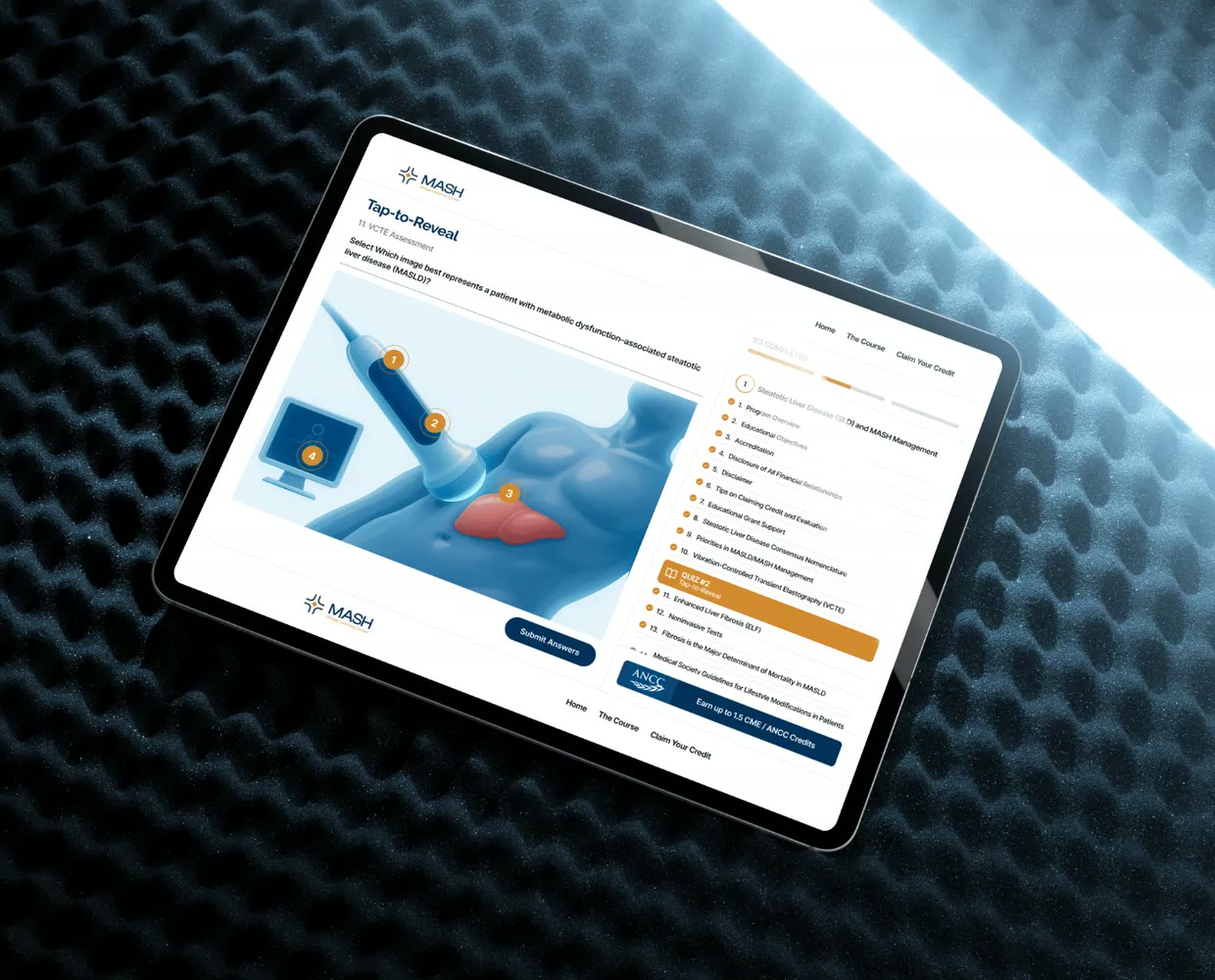
On the VCTE assessment slide, learners uncover each hotspot one at a time instead of facing everything at once.
Image selection quiz
Learners pick the correct clinical representation from a set of images, building visual recognition instead of reading a list.
Case-based decision card
A short patient scenario asks learners to choose the right classification or next step: a quick, realistic moment of clinical reasoning.
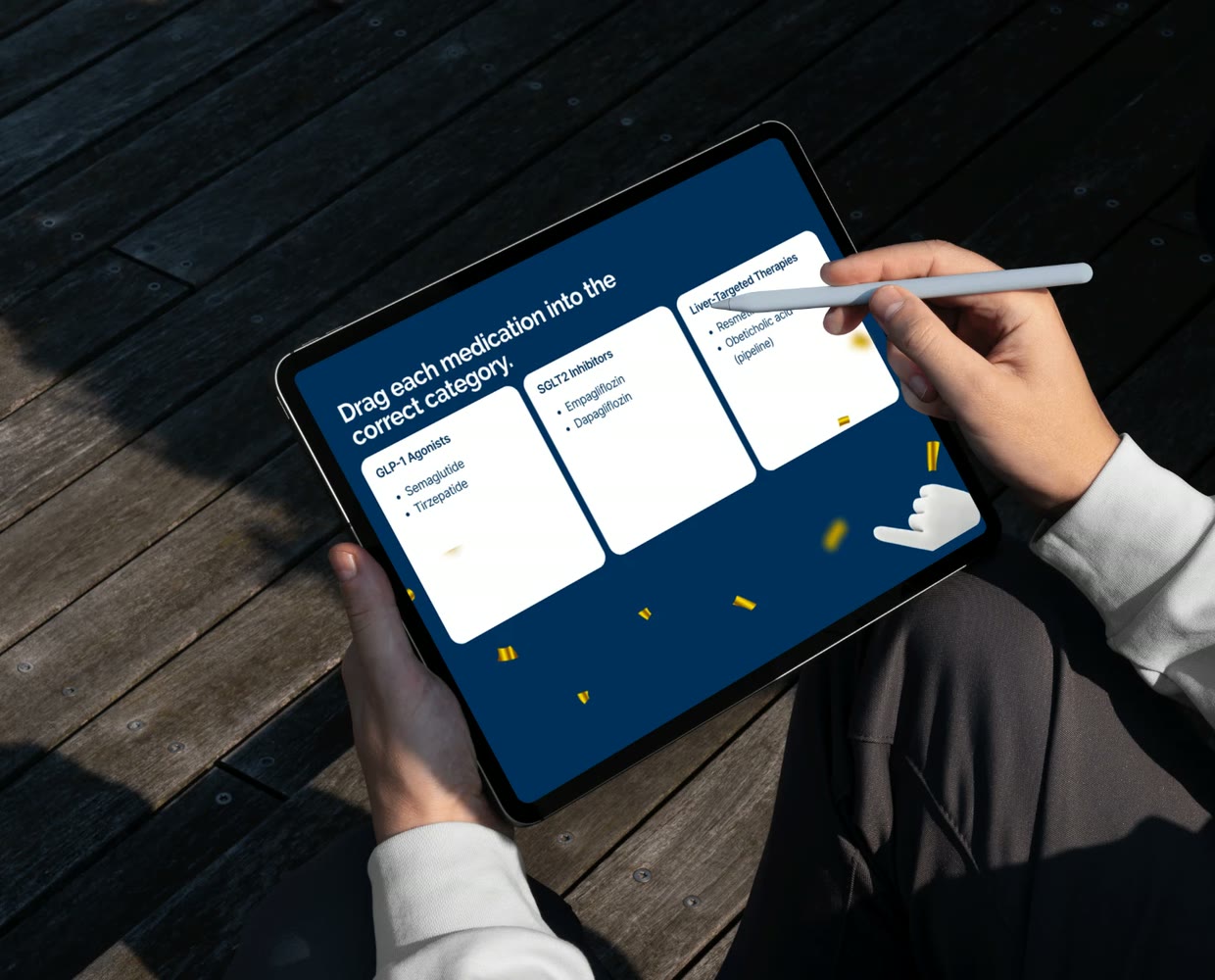
Drag and match
Learners sort medications into their therapeutic categories, a small problem-solving step that reinforces what each drug does.
Timeline ordering
Learners rebuild a step-by-step workflow by putting it in the right order themselves.
Replicate across the program
Each interaction is built as a pattern, so the same engagement can be added to other slides throughout the course.
At a glance
5Interaction types: reveal, image quiz, decision card, drag and match, timeline
Hands-onLearners tap, choose, sort and sequence instead of reading
ReusablePatterns designed to repeat across the program
More case studies
Continue exploring our work
Have a project like this in mind?
Tell us what you want to build or produce. We’ll help you work out what you need and how to get there.